How to generate as-is comp reports fast
Not every deal needs an ARV.
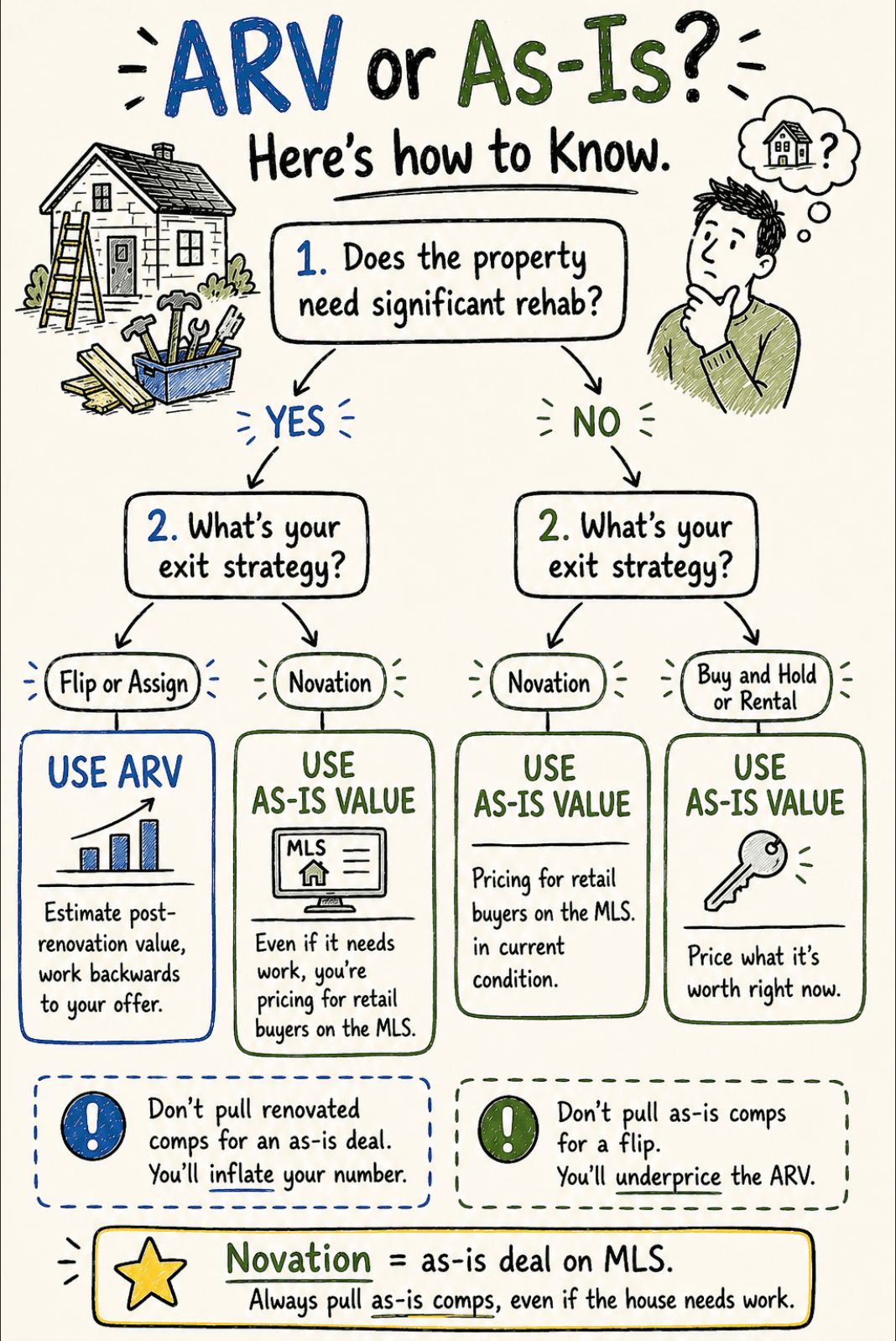
ARV is for properties that need significant work. You estimate what the finished, renovated property will sell for, then work backwards to your offer using repair costs and your buyer's required margin. That math only makes sense when there's a meaningful gap between the current condition and post-renovation value.
As-is value is different. It's what the property is worth today, in its current condition, based on what similar properties in similar condition have actually sold for. You use it when a landlord could rent the property immediately, when you're structuring a novation deal that will be listed on the MLS, when you're doing creative finance, or when you're wholesaling to a buyer who isn't planning major renovations.
The fix isn't more time spent on comps. It's pulling the right type of comp for the right situation.
The one thing that kills most as-is reports
Condition matching. Almost no one does it well.
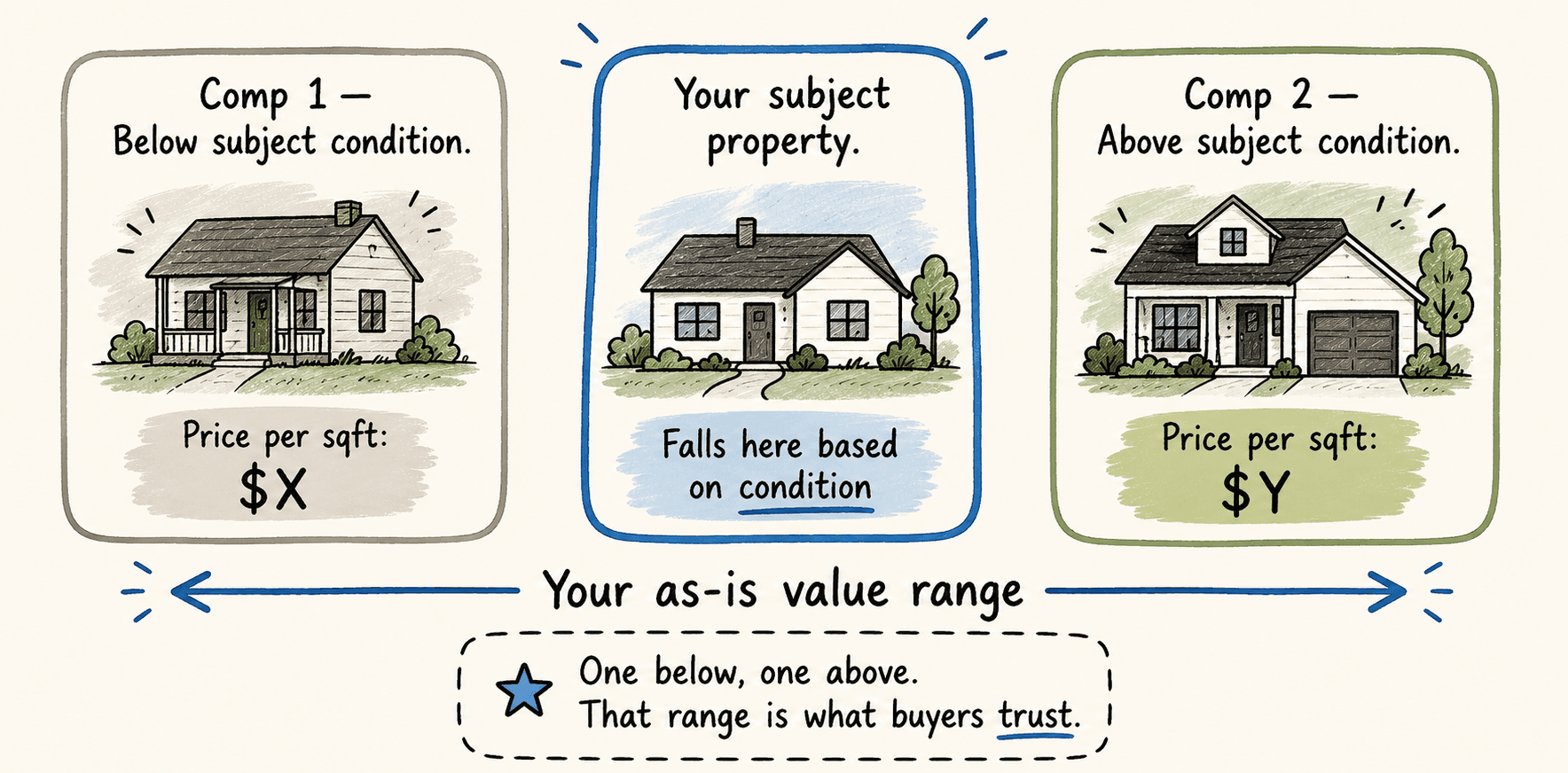
Proximity and recency are obvious filters. Condition is the one that determines whether your number holds up when a buyer pushes back. A renovated comp in the same zip code isn't a comp for your subject property in current condition, it's a ceiling. Using it as your baseline is how you end up 15% high and lose the assignment.
What you want is comps where the condition gap is small. One in similar condition, one slightly better, one slightly worse. That range tells a clean story and gives buyers something they can act on without running their own numbers from scratch.
What actually needs to be in the report
Subject property details, a comparison table with address, sale date, price, square footage, and price per square foot, and a clear as-is value range. That's it.
Buyers don't need a narrative. They need to see the comps, verify the logic, and move. The faster they can do that, the faster they commit. A clean report sent within minutes of a conversation does more for your close rate than any follow-up email you'll write.
The workflow
Pull subject details before you search for anything. Square footage, bed and bath count, year built, and specific condition issues. These are your filter criteria.
Surface more candidates than you need, eight to ten, then cut. Remove short sales, bank-owned properties, anything that isn't an arm's-length transaction. A buyer will spot those immediately and use them to discount your number.
Narrow to your best three to six matches on condition first, then proximity, then recency. Calculate price per square foot across the set and place your subject within that range based on its condition relative to the comps.
Done manually through MLS or across multiple listing sites, that's 25 minutes to an hour depending on your market and access. If you don't have MLS access, your options are a local agent who can pull distressed sold comps, or a public records search cross-referenced with Zillow or Redfin's listing history, slower and less reliable, but workable in a pinch.
ChatARV does this in under 60 seconds. Enter the address, it pulls condition-matched comparables from real market data and formats a report you can send directly to a buyer. If you have better comps from a local agent or your own research, you can add them manually and it recalculates.
Why speed matters here specifically
As-is deals move faster than rehab deals because the buyer pool includes landlords and rental investors, not just flippers. A landlord who can put a tenant in immediately doesn't want to wait two hours for your comp report. They're evaluating three other deals at the same time.
The wholesaler who gets a defensible number in front of a buyer first wins the deal. Not the one with the most detailed report.
Send buyer-ready as-is reports in minutes
Enter an address and ChatARV pulls condition-matched comparables from real market data, then formats a report you can send directly to a buyer.